


Introduction to Milestones
Milestones help startups and program teams stay on track by setting clear, measurable objectives with defined timeframes. By assigning milestones to startups, you can monitor progress, align goals, and ensure accountability throughout the program — from early traction to growth targets.
Where to Find Milestones
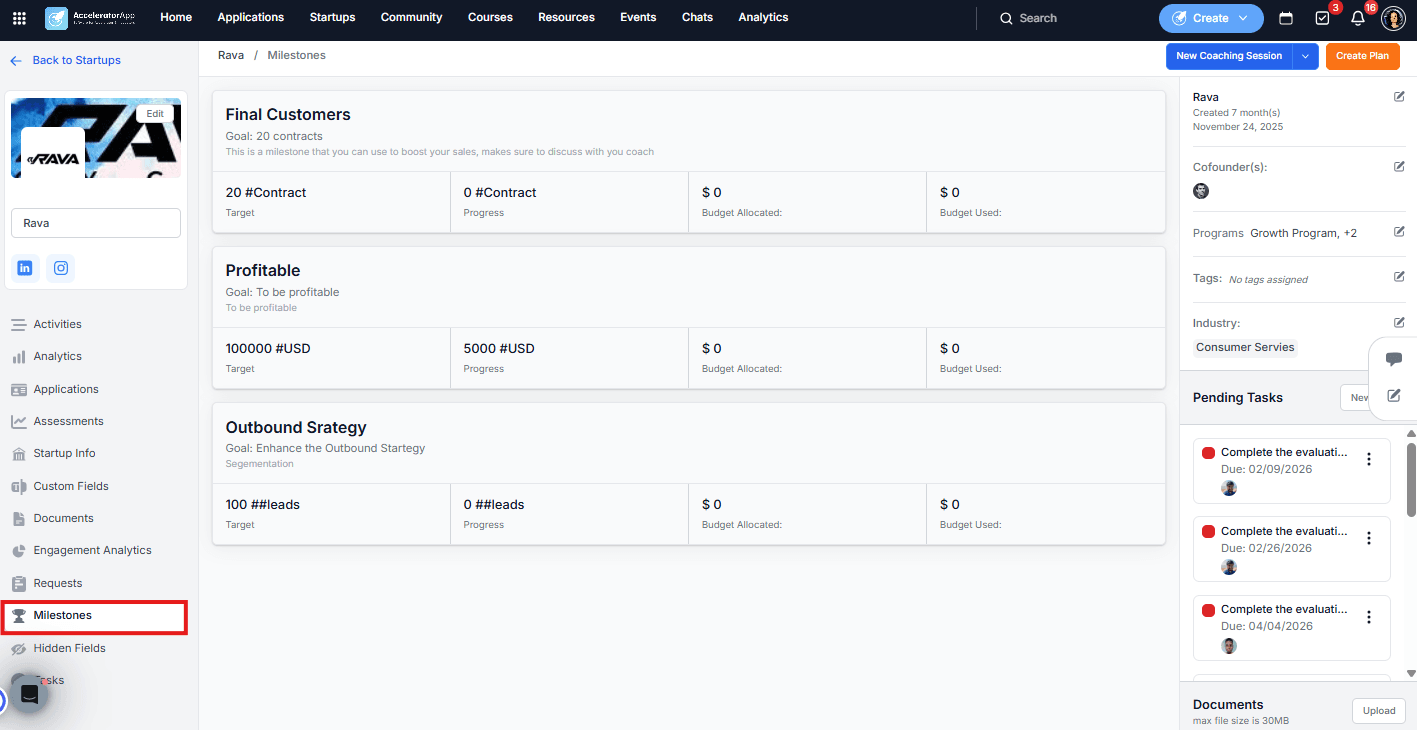
Open the Startup Portfolio, select the startup you want to manage, and navigate to the Milestones tab inside the startup file.
Step-by-Step
1. Open the Startup File
Navigate to the Startup Portfolio and select the startup you want to assign milestones to.
2. Create a Milestone Plan
Go to the Milestones tab inside the startup file and click Create Plan.
3. Define the Milestone
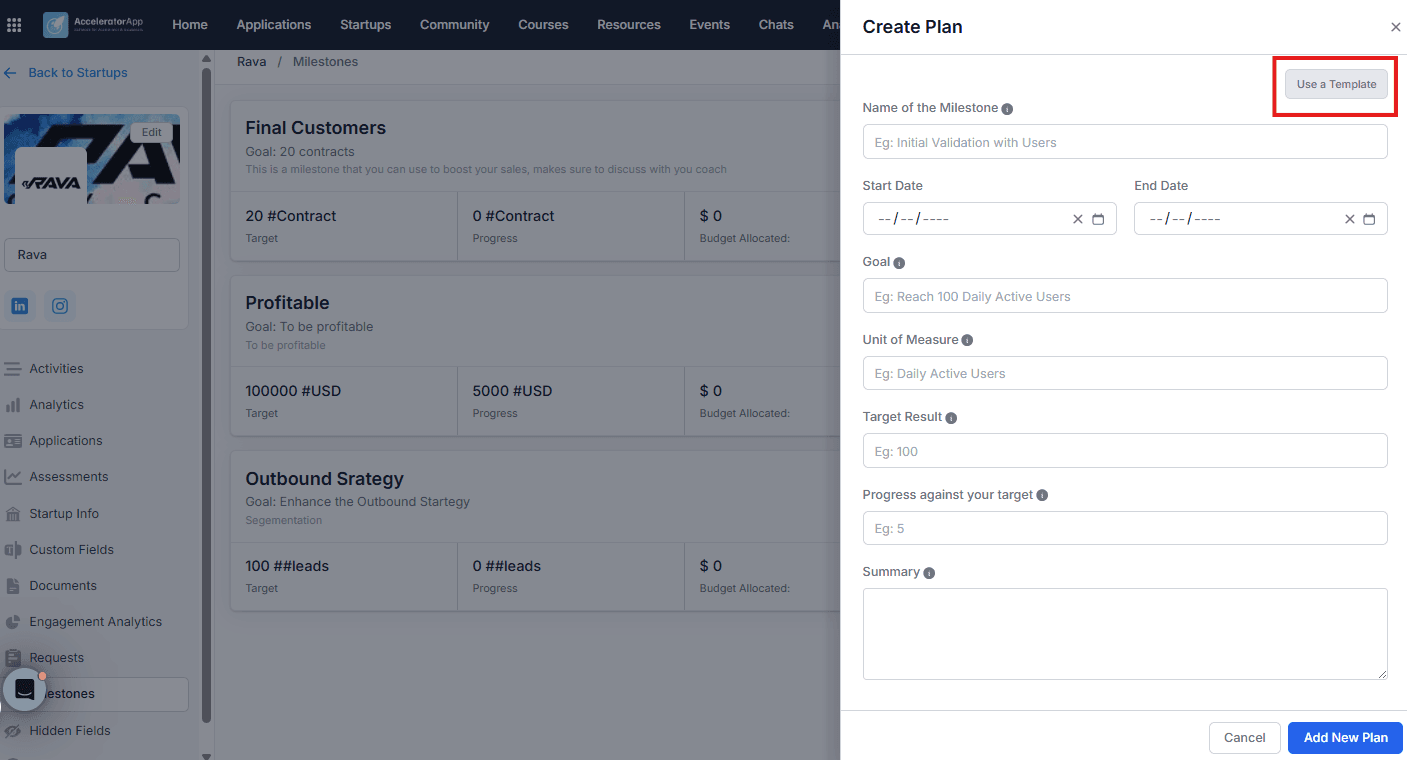
Select a pre-defined milestone (template) or create a new one by filling in the following fields:
- Milestone Name — a clear and descriptive title (e.g. "Launch MVP" or "Secure First Customer").
- Start and End Date — the timeframe for completing the milestone.
- Goal — the overarching objective the milestone aims to achieve.
- Unit of Measure — the metric used to quantify progress (e.g. percentage, amount, or binary completion).
- Target Result — the desired outcome or measurable achievement.
- Progress Against Target — track and update progress to show how close the startup is to meeting the target.
- Summary — additional context, instructions, or expectations to clarify the milestone's purpose and deliverables.
Click Save to confirm.
4. Export the Milestone Plan
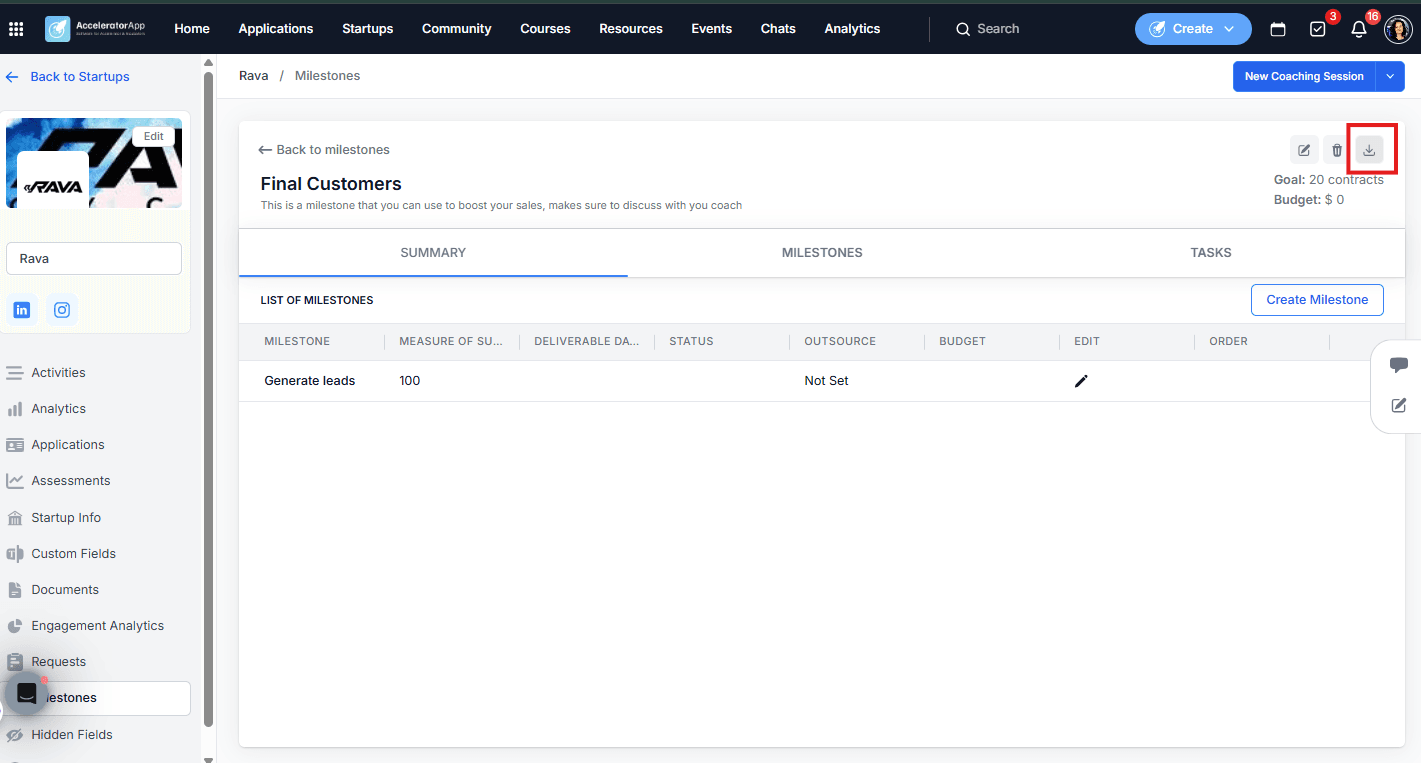
Milestone plans can be exported as a PDF directly from the Milestones tab. Select one of the milestones. Click the Download icon to generate and download the document — useful for sharing progress reports with stakeholders or during coaching sessions.
Best Practices
- Set up milestone templates before assigning. Before creating milestones inside individual startup files, it is recommended to first build your milestone templates from Startups > Milestones Templates in the sidebar menu. This saves time and ensures consistency across your portfolio — you can then select from pre-defined templates instead of building each milestone from scratch.
- Use specific, outcome-focused milestone names. "Secure First Customer" is more actionable than "Sales Progress" — clarity drives accountability.
- Set realistic timeframes. Milestones with clear start and end dates are easier to track and review during coaching sessions.
- Update progress regularly. Keeping progress against target up to date gives both the startup and the program team an accurate picture of where things stand.