


Managing Your Chat Settings
AcceleratorApp allows each user to control their own chat availability directly from their profile. This setting determines who is allowed to initiate a new conversation with you — and it takes priority over all other chat permissions configured at the role level.
This option is only visible if your user role has been granted chat access by your program administrator. If you do not see Chat Settings on your profile, contact your Admin.
Where to Find Chat Settings
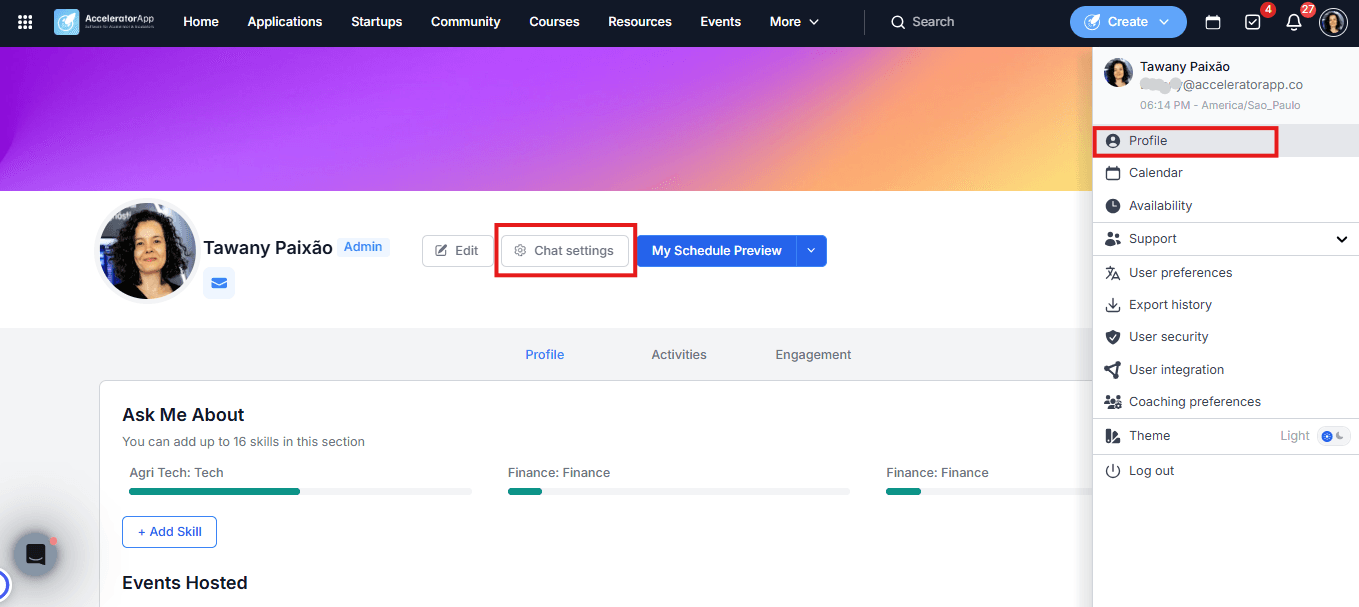
Click on your profile picture in the top-right corner of the platform. Next to your photo, you will see the Chat Settings option.
Step-by-Step
1. Open Chat Settings
Click your profile picture in the top-right corner and select Profile
2. Set Who Can Start a Conversation With You
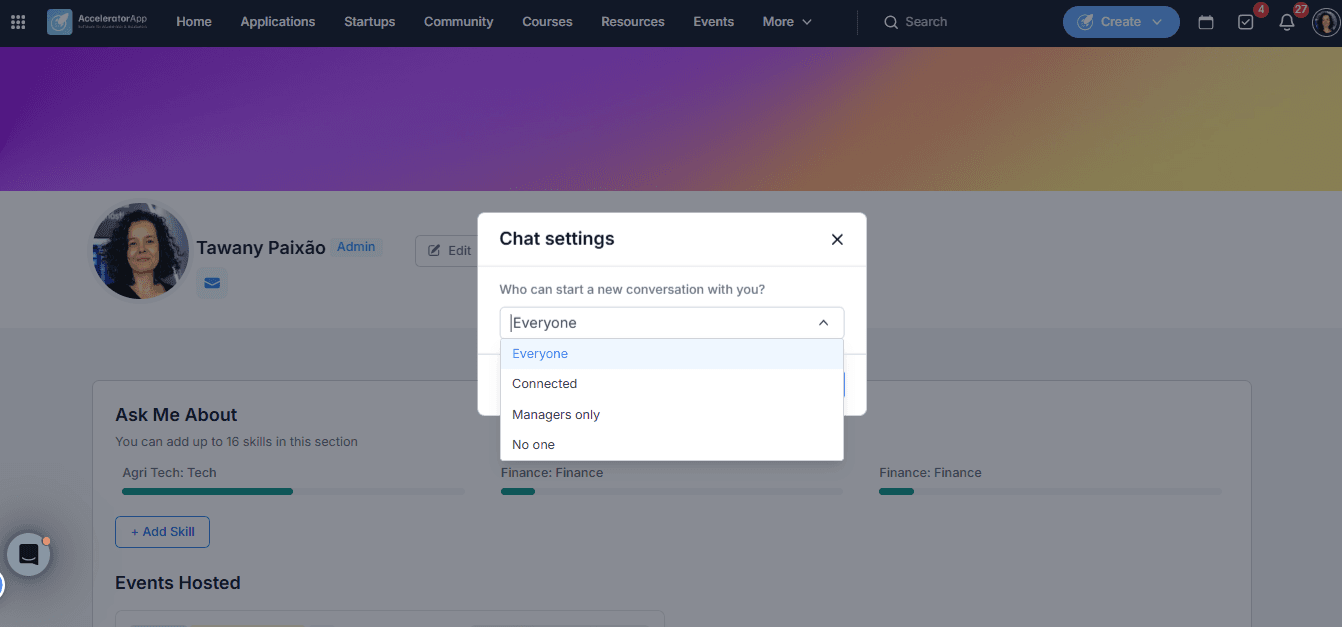
Click on Chat Settings and use the dropdown to choose your preference:
- Everyone — any user on the platform can start a new conversation with you.
- Connected — only users you are already connected to can reach out.
- Managers only — only users with a manager-level role can initiate a conversation.
- No one — no one can start a new conversation with you. You can still participate in existing conversations.
Click Save to apply your preference.
This setting takes priority over everything else. If a user sets their preference to No one, no other user can start a new conversation with them — regardless of what their role permissions allow.
Best Practices
- Use Connected to keep conversations within your established network. This is a good default for mentors or coaches who only want to hear from the startups they are already working with.