


Introduction to Managing the Application Process
Application Process Management allows Funnel Admins and Managers to track, review, and progress candidates throughout every stage of the application funnel. From reviewing submitted forms and scheduling meetings to assigning evaluators and sending acceptance or rejection emails — everything is managed in one central place.
Where to Find Application Management
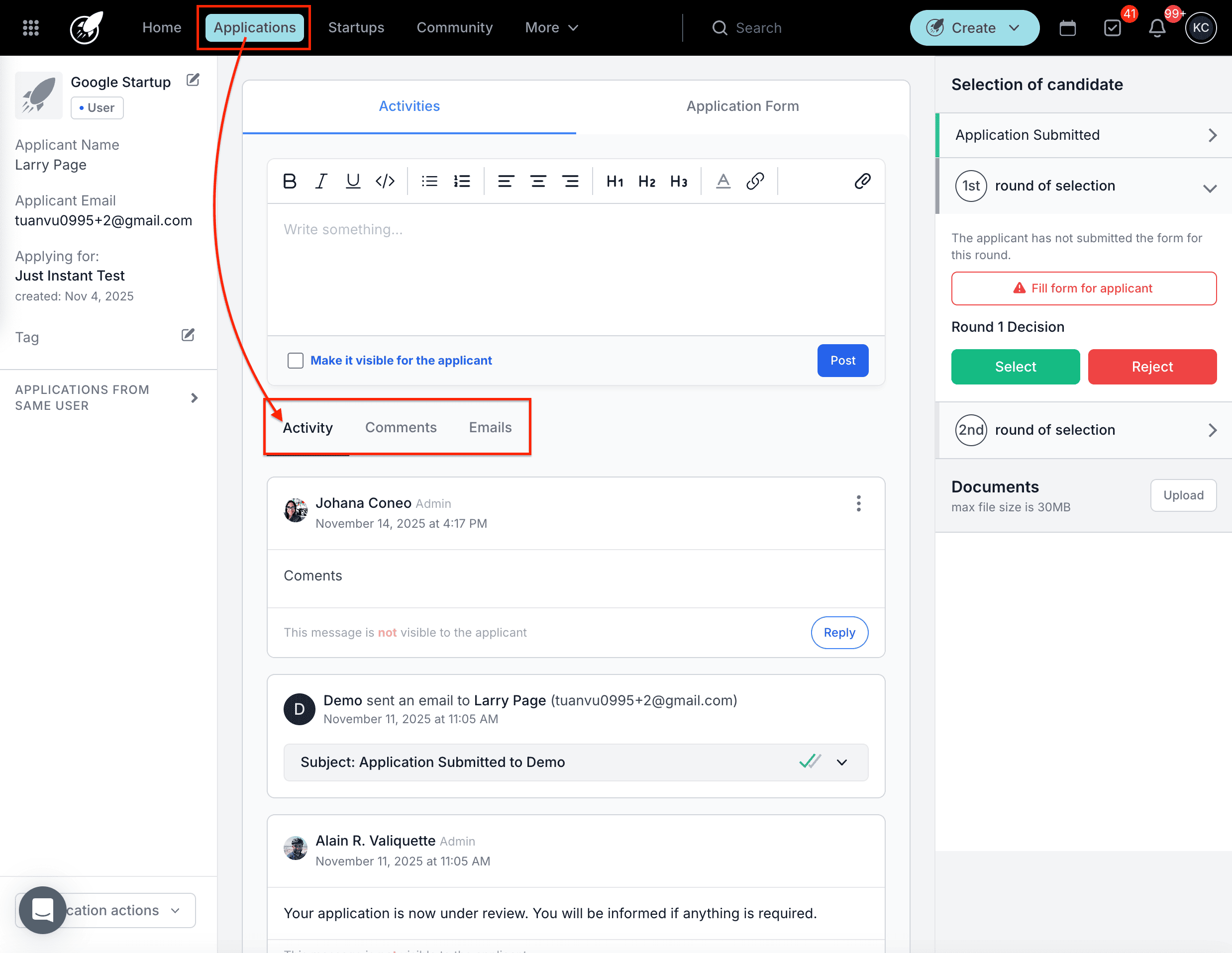
Click Applications in the top navigation bar, then select Overview from the sidebar to view all active applications. Click on an applicant's name to open their Application File. Inside the file, navigate between the Application Form, Activity, Comments, and Emails tabs to review and take action.
Step-by-Step
1. Review Applications
When a candidate submits their application:
- The Funnel Admin receives a notification.
- The application appears in the Applications Overview.
- Click the candidate's name to open the Application Form tab and begin reviewing.
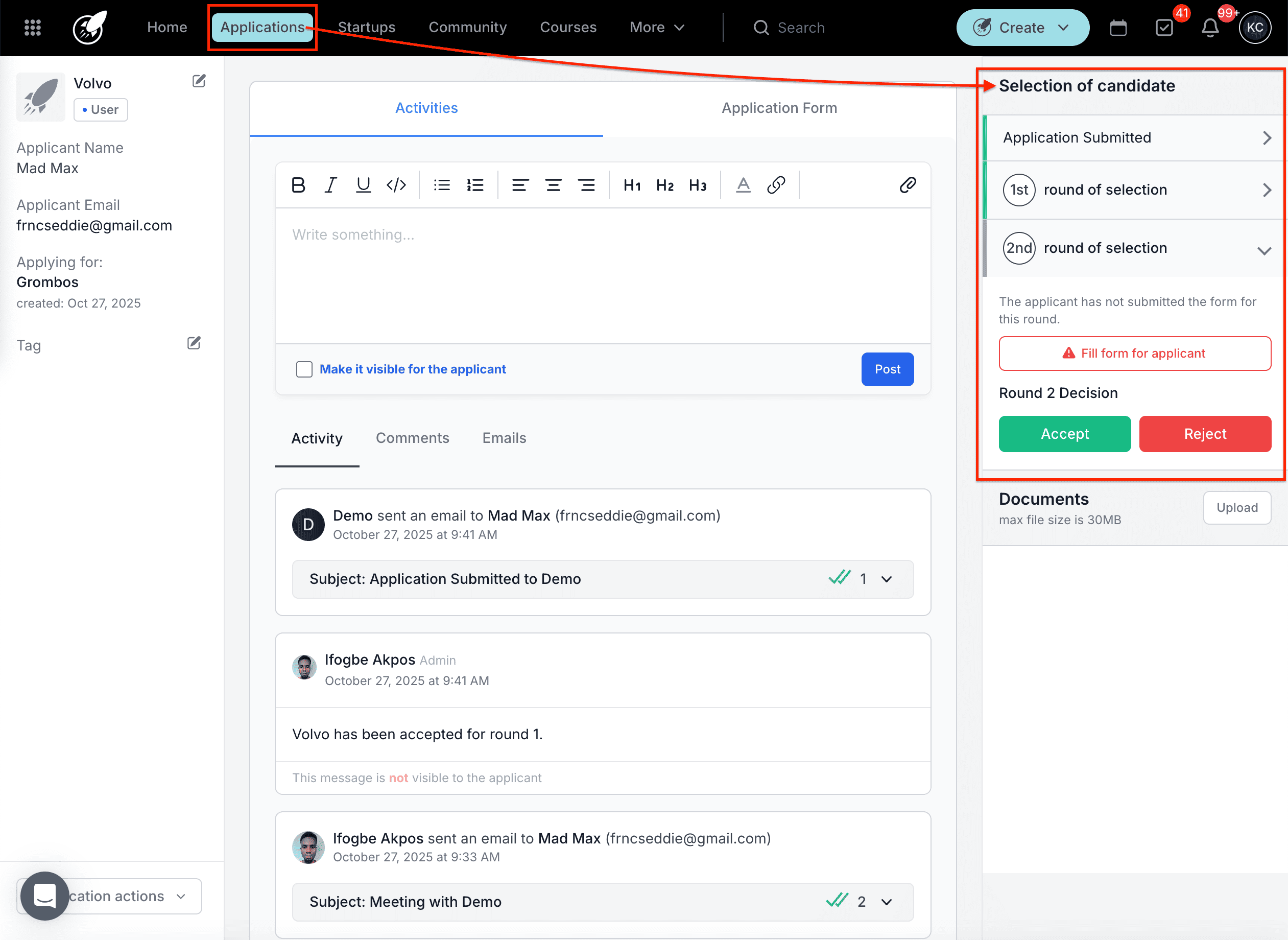
In the right-hand panel, you can view all Application Rounds defined in the funnel. After reviewing the form, decide whether to move the candidate forward or reject their application.
If you decide not to proceed, you can send a rejection email from your transactional email templates immediately or schedule it for a later date.
2. Manage Additional Forms
When a candidate is required to complete an additional form as part of the application:
- The candidate receives an automated instruction email.
- Once submitted, the form responses appear in the Application Form tab.
- The submission date and time are visible in the corresponding round details.
3. Manage Meetings and Interviews
When a candidate advances to an interview round:
- They receive an email with a link to book a meeting based on the interviewers' availability.
- Candidates can also book directly from their Application File.
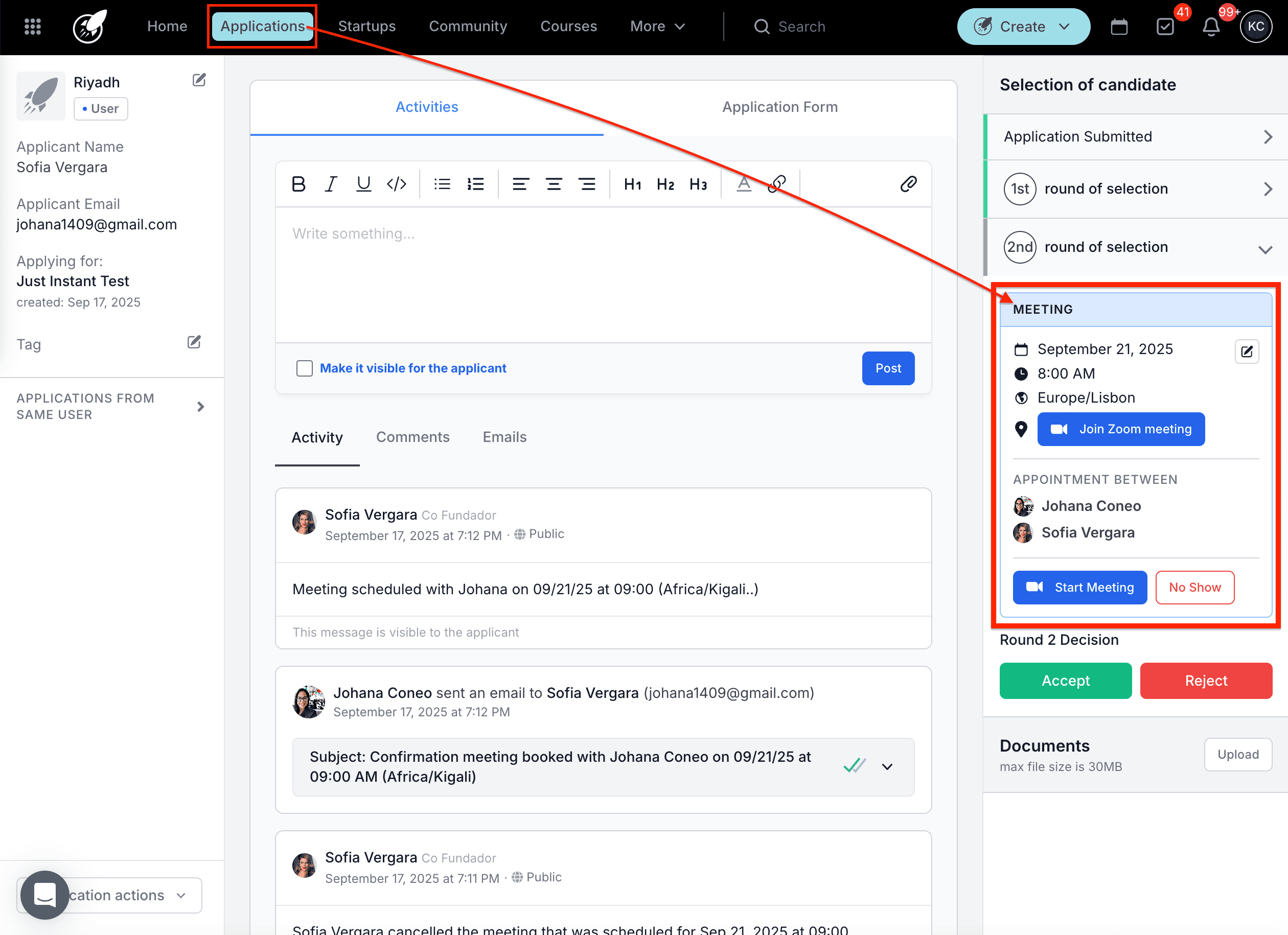
Once scheduled, admins can:
- Reschedule or cancel the meeting via the three-dot menu.
- Mark as no-show if the candidate does not attend.
- Start the meeting from within the file when the interview begins.
- Save the session after clicking End Meeting once it is complete.
4. Assign and Manage Evaluators
Evaluation forms are used to score and review applications objectively:
- Evaluators only see the applications they are assigned to.
- Funnel Admins or Managers can view all evaluations and results.
- Evaluators can be pre-assigned in the funnel or added manually during the review.
- Once assigned, the evaluator receives a task to complete their evaluation.
- When the form is submitted, the task is marked as complete automatically.
5. Accept or Reject Candidates
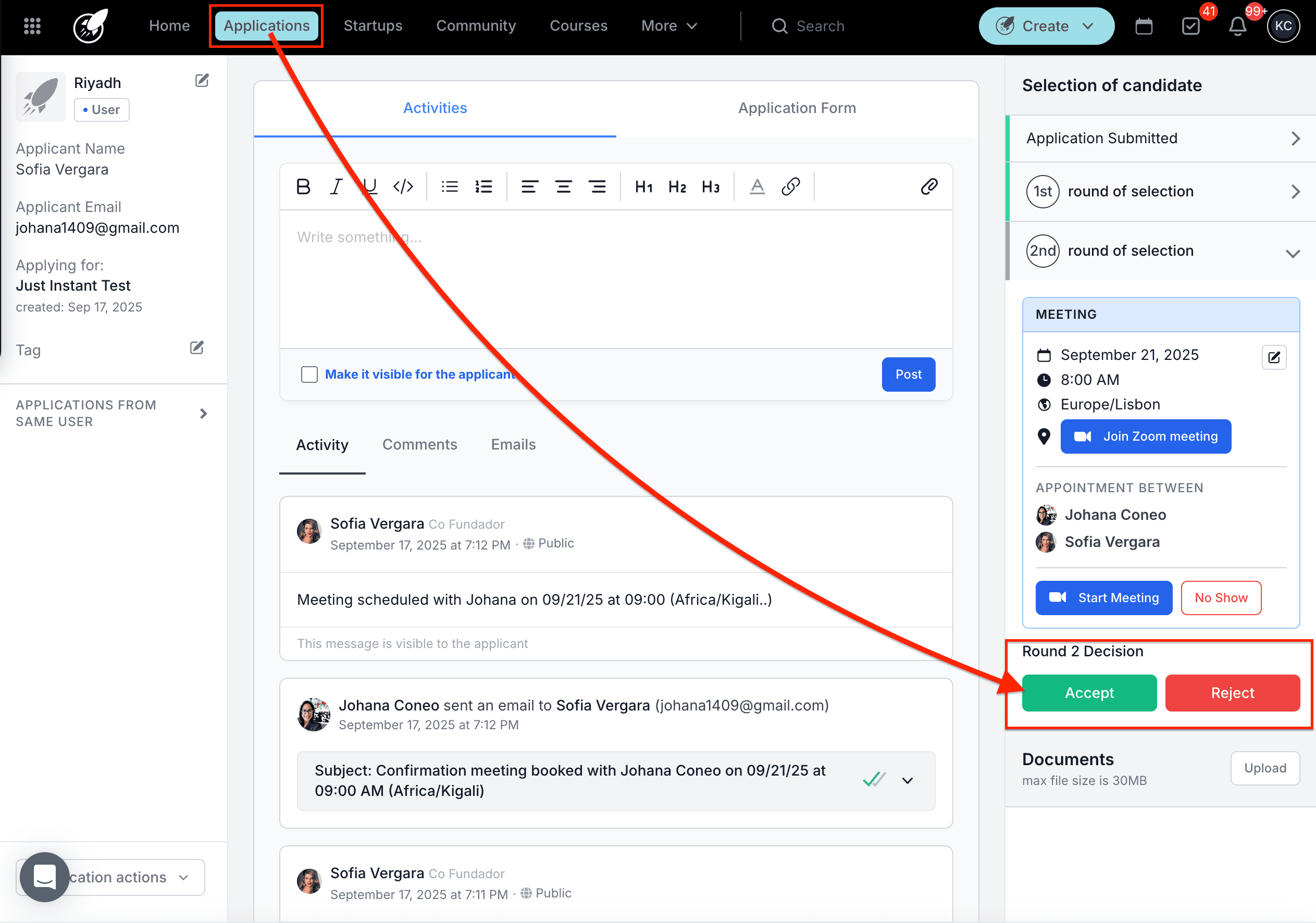
At the end of each round, the Funnel Admin can accept or reject applications.
If rejecting:
- Send a rejection email using one of your transactional email templates.
- Choose to send immediately or schedule for later.
If accepting:
- Select the programs and startup tags the candidate should be linked to.
- The candidate will receive an automatic acceptance email confirming their selection.
If a funnel is archived or the deadline passes, incomplete draft applications will automatically be archived. Submitted applications will continue through the review process normally. Resetting an application back to draft mode can be done if a candidate needs to make changes — see the related article below.
Best Practices
- Keep communication clear with applicants. Use automated emails to notify them at each stage so they always know where they stand in the process.
- Assign evaluators early. Ensuring evaluators are assigned at the start of each round gives them enough time to complete their assessments before decisions need to be made.
- Monitor the Overview page regularly. Tracking application progress and pending actions from the Overview prevents bottlenecks and ensures no candidate is left waiting.
- Archive funnels only once all applications have been processed to avoid data loss.