


Introduction to Courses
Learn how to create and manage courses in AcceleratorApp's LMS — from building content with sections and units to configuring settings, managing cohorts, and previewing before launch.
Courses in AcceleratorApp allow you to educate and engage your community through a built-in Learning Management System (LMS). You can build courses with diverse content types — articles, videos, quizzes, assignments, and submissions — and track participant progress throughout.
Where to Find Courses
Navigate to the Courses section in the top menu and select theCourses Management tab. From here you can manage existing courses and create new ones.

Step-by-Step
1. Adding Basic Course Information
- Click Create New Course.
- Fill in the course title, description, and any required details.
- Click Next to enter the course builder.

2. Building Course Content
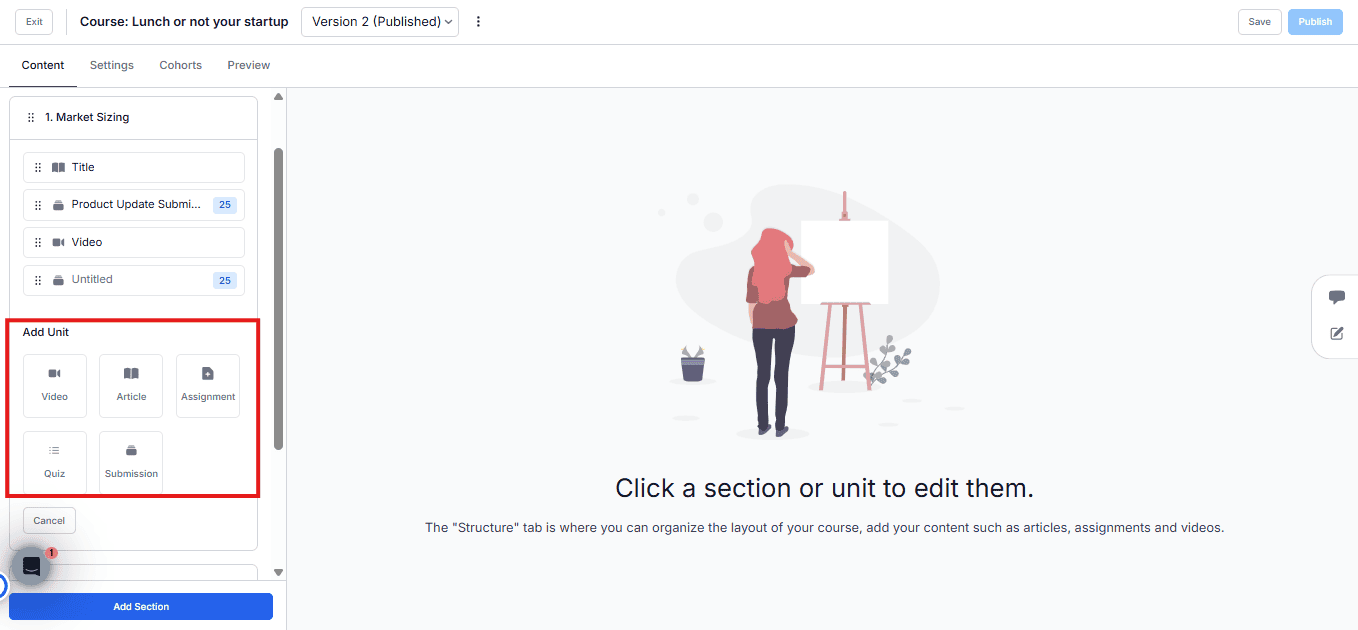
In the Content Tab, structure your course by adding sections and units.
Sections — Provide a title, introductory notes, and attach resources.
Units — Choose from the following content types:
- Articles: Text-based content that can include images, videos, and files.
- Videos: Embed content from external platforms (YouTube, Vimeo, Loom) — or upload a video file directly from your device using the Upload Video option.
- Assignments: Tasks that require participants to upload their responses.
- Quizzes: Custom questions to test knowledge.
- Submissions: Custom forms learners must complete and submit. Fields can sync with startup or user profiles.

3. Configuring Course Settings
In the Settings Tab:
- Update the course title, description, and available languages.
- Assign team members who can edit the course.
- Archive the course to disable new enrollments.

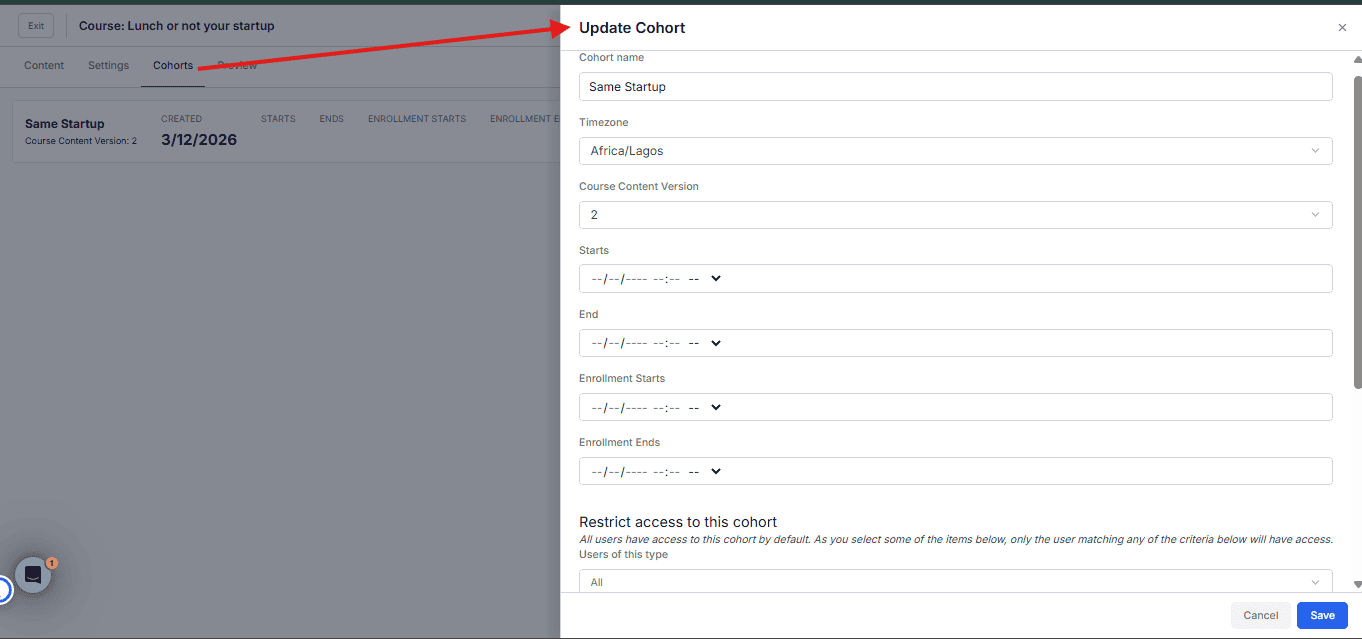
4. Managing Cohorts
In the Cohorts Tab:
- Click Create New Cohort.
- Define the time zone, start and end dates, enrollment period, and access settings.
Note: A cohort is required to give learners access to the course. Without one, no one can enroll.
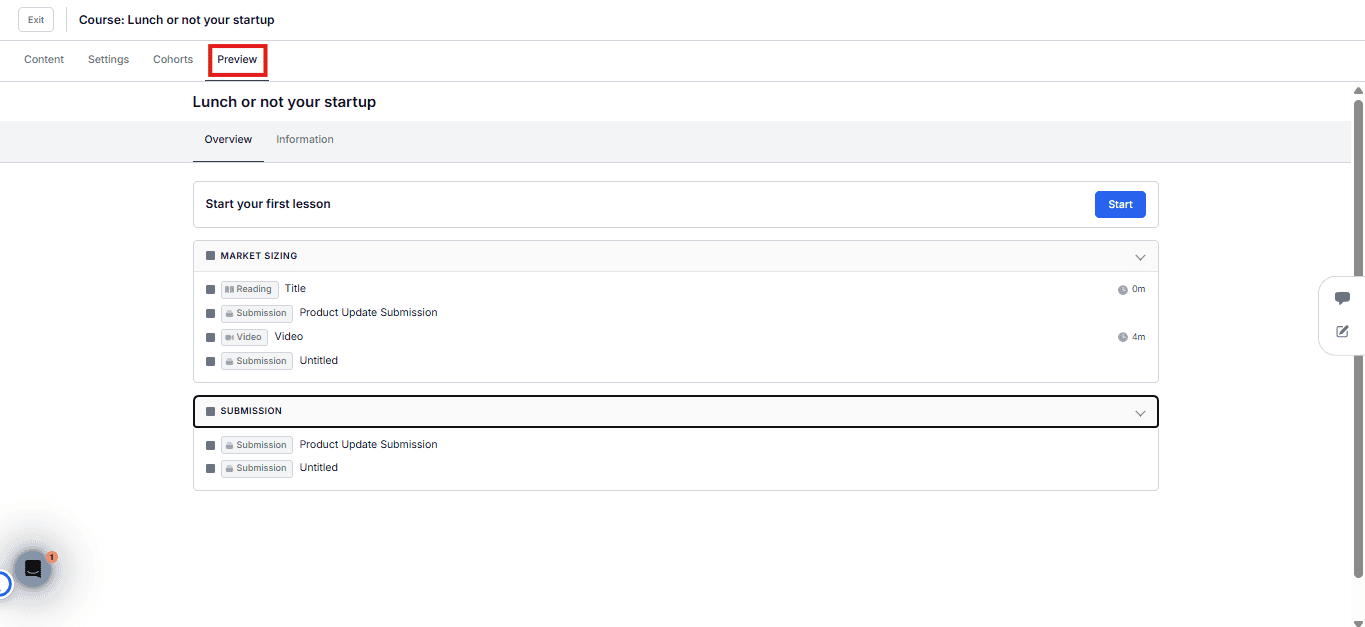
5. Previewing the Course
In the Preview Tab, review the course layout and description before publishing.
Best Practices
- Always create at least one cohort before sharing a course link — learners won't see the content otherwise.
- When adding video units, prefer direct upload for content hosted internally, and embed links for public or third-party videos.
- Use Submissions units when you need learner responses to feed into startup or user profile data.
- Preview your course before publishing to catch layout or content issues early.