


Introduction to Reminder Emails
Keeping applicants engaged throughout your process is essential for completion rates. AcceleratorApp supports two approaches: automated reminders tied to the application form step, and manual bulk emails that can be sent at any stage of the funnel.
Where to Find
- Automated reminders — Inside the Funnel Editor, during funnel setup (Applications > Funnels).
- Manual reminders — From the Applications Overview page (Applications > Overview).
Step-by-Step
1. Set Up an Automated Reminder Email
Automated reminder emails are available specifically for the application form step of your funnel. To set one up:
a. Go to Applications > Funnels and open the funnel you want to configure, or create a new one.
b. In the funnel builder, locate Step 2 — The candidate fills out the application form.
c. Click Add an Action below that step.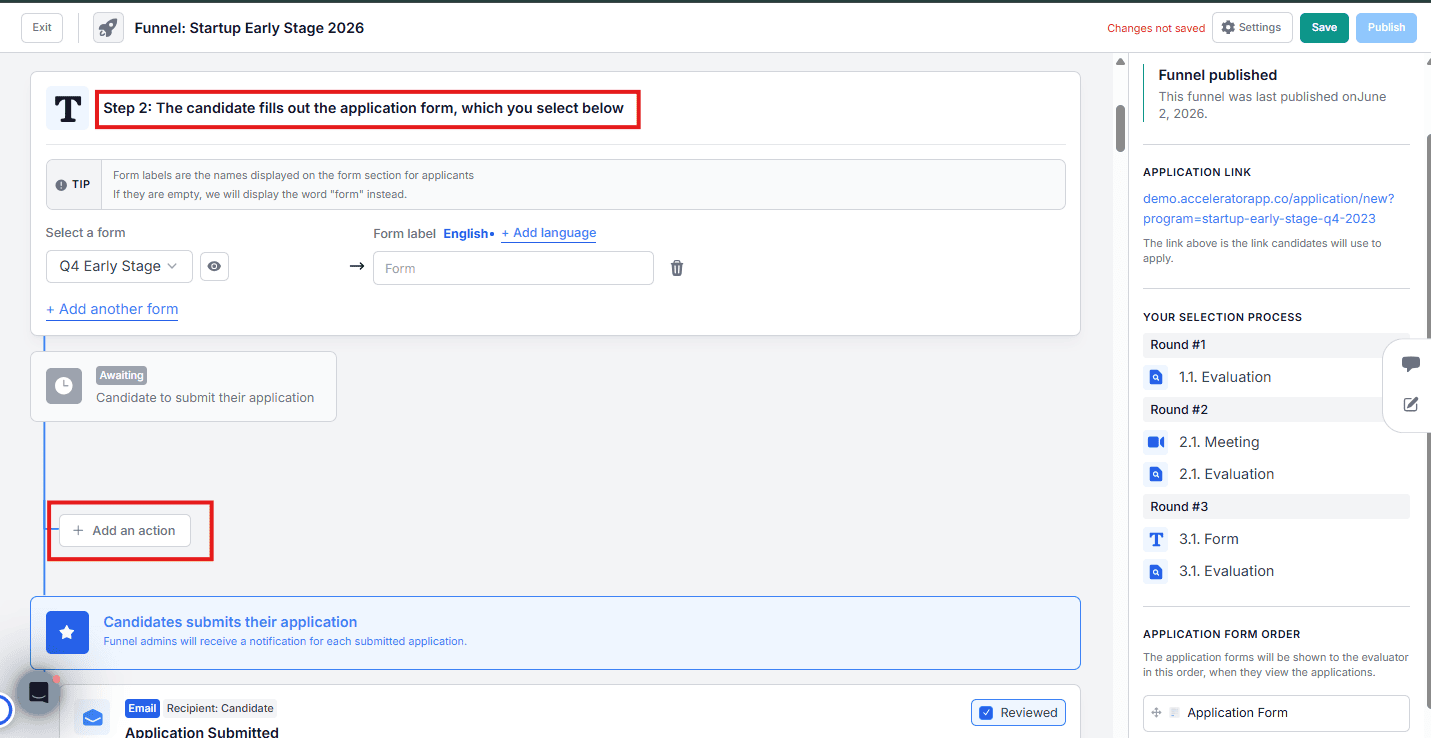
d. Select Send Email, then click Edit Email to configure it.
e. Set the reminder frequency — choose to send this reminder every X days, weeks, or months at a specific time, and select the timezone.
f. Set the email template, customize the content, and optionally add recipients to CC or BCC.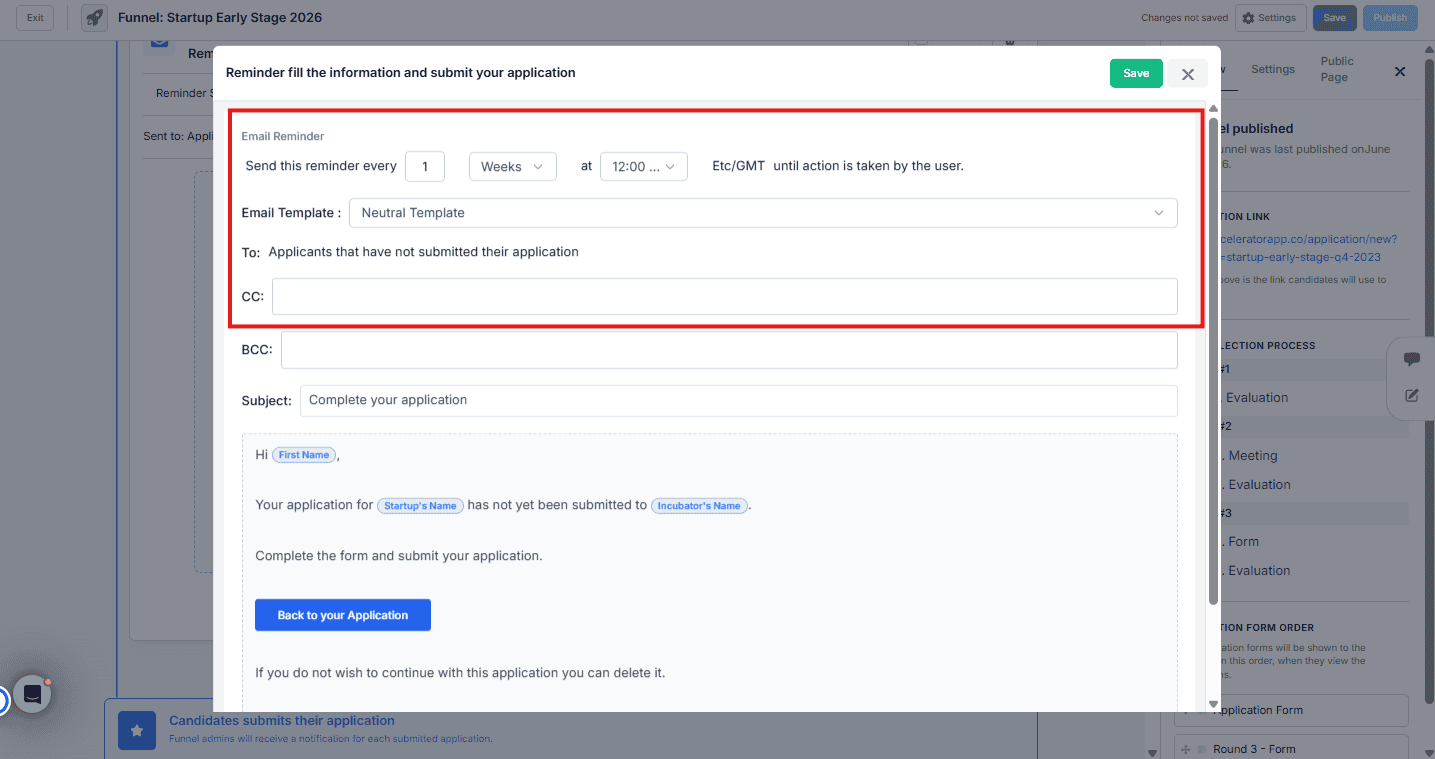
Automated reminders are only available for the application form step. For reminders at other stages of the funnel, use the manual method below.
2. Send a Manual Reminder Email
For any other stage of the process, you can send bulk reminder emails manually from the Applications Overview:
a. Go to Applications > Overview and select the funnel you want to work with.
b. Apply filters to target the right group of applicants — by status, tag, round, or any other available filter.
c. Enable bulk selection by clicking the first checkbox at the top of the table.
d. Click Send Email.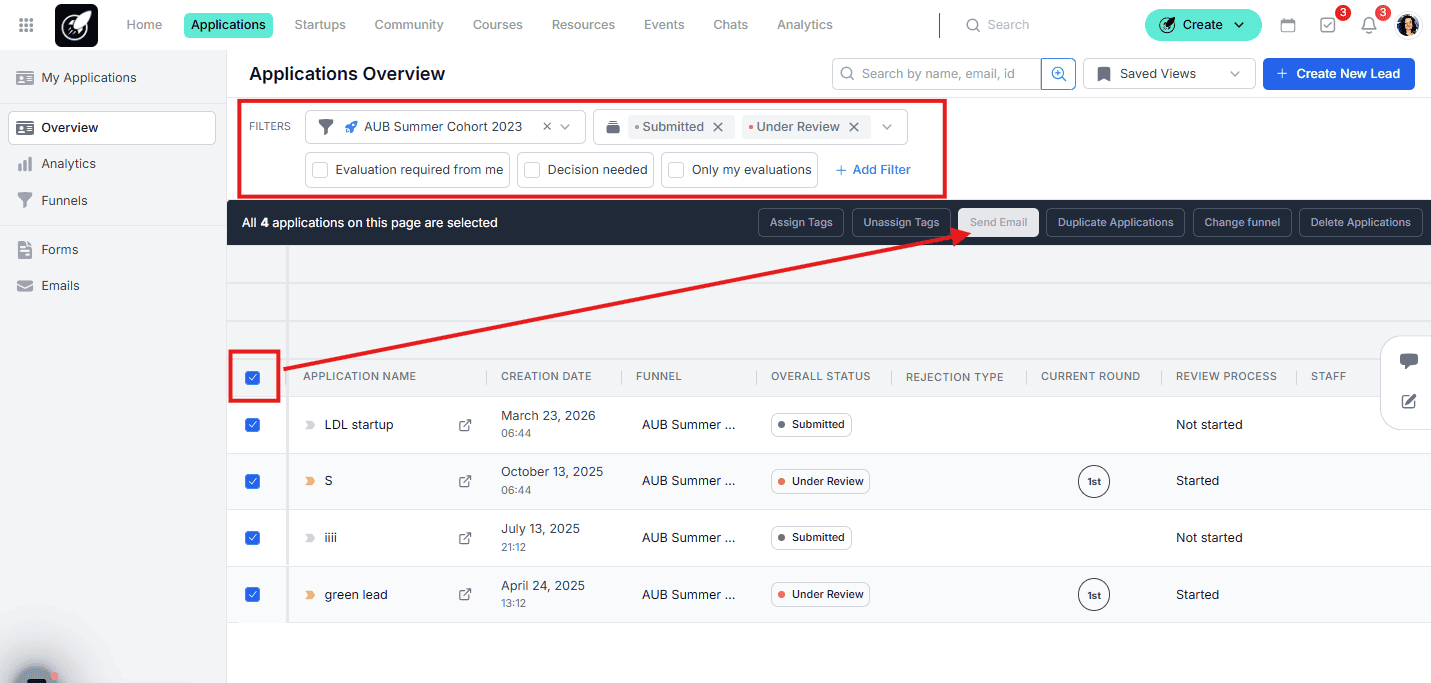
e. In the email composer, click Templates to select an existing content template or save a new one for future reuse.
f. Customize the content as needed and send.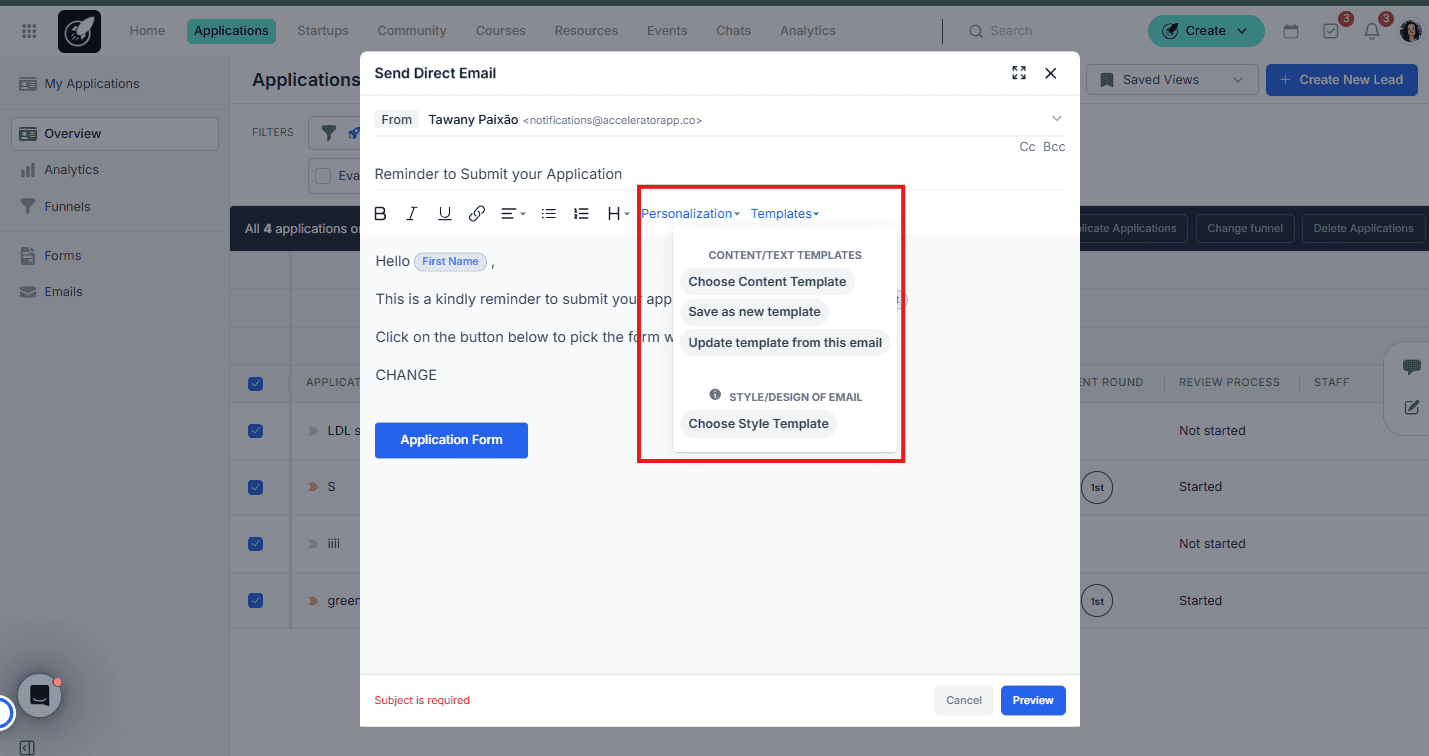
Saving a content template is useful when you send the same reminder message regularly — you can select it in future sends without rewriting it each time.
Best Practices
- Use automated reminders for application form completion. Setting a recurring reminder (e.g. every 3 days) for applicants who have not yet submitted their form is one of the most effective ways to improve completion rates.
- Filter before sending. Always narrow down your audience using filters before activating bulk selection — this avoids sending reminders to applicants who have already completed the relevant step.
- Save reusable templates. If you send the same reminder message across multiple cohorts or funnels, save it as a content template so you can retrieve it in seconds next time.
- Use CC and BCC for internal visibility. Adding a team member to BCC on automated reminders is a simple way to monitor what is being sent to applicants without any extra manual work.