


Introduction to How to Archive Funnels and Manage Deadlines
The Archiving Funnels and Managing Deadlines feature helps you keep your application processes organized and up to date. This tool allows you to maintain a clean workspace by removing inactive funnels from your main view while ensuring that active application periods are accurately timed.
Managing these settings is valuable for controlling the flow of new candidates and providing clarity to applicants regarding their submission timelines. Whether you are extending a call for applications or closing a program for the season, these settings give you full control over your funnel's lifecycle.
Note: Archiving a funnel is a significant action that affects all draft applications. Ensure you have communicated with any pending applicants before deactivating a live link.
Where to Find Funnel Management
You can access and manage your funnels from the Applications section in AcceleratorApp.
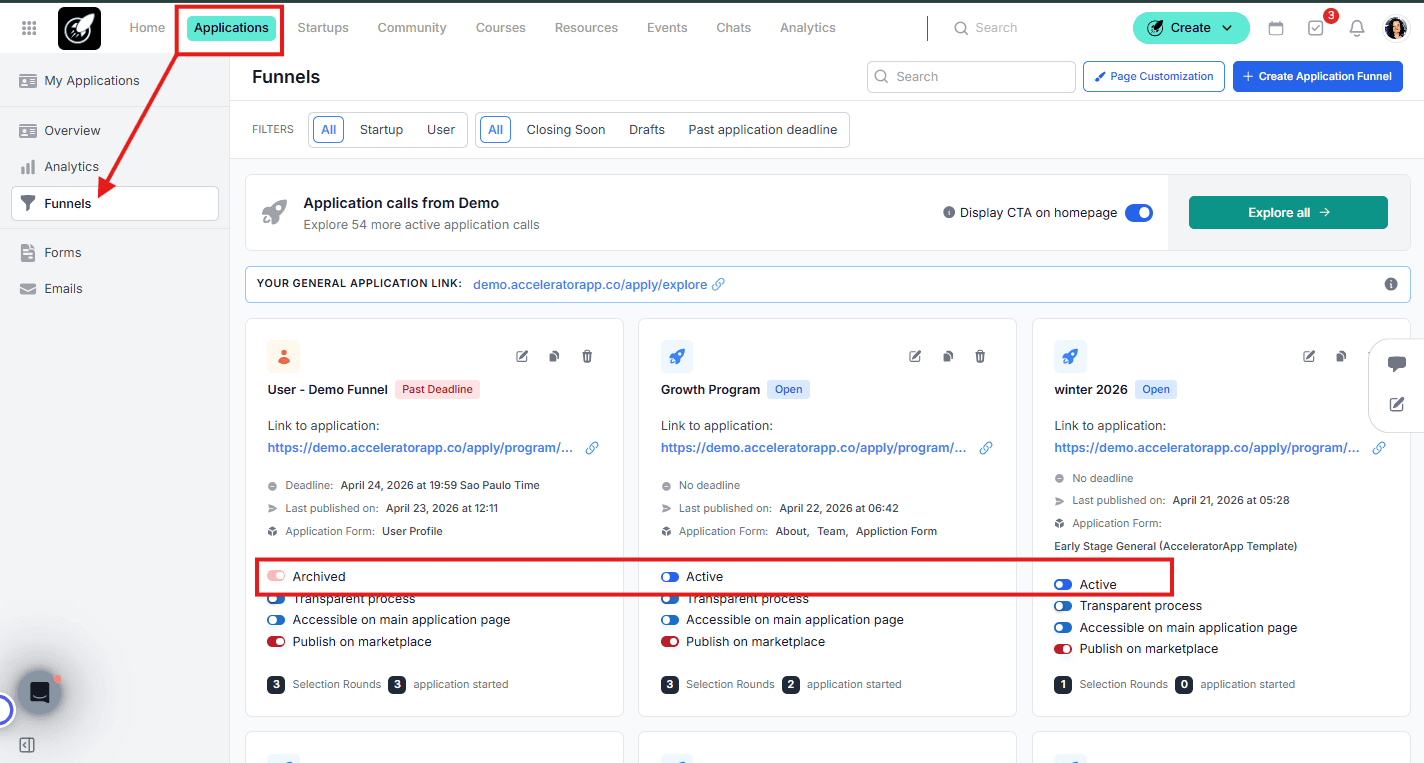
Step-by-Step
1. Accessing the Funnel List
- Navigate to the Applications module.
- Select Funnels from the sidebar to view your funnel dashboard.
2. Archiving a Funnel
- Locate the specific funnel card you want to deactivate.
- Toggle the Active switch to the "Off" position.
- A confirmation message will appear—click Confirm to complete the process.
- Outcome: The funnel moves to an archived state, and all current draft applications within it are archived automatically.
3. Navigating to Deadline Settings
- Find the funnel you want to update and click the Edit (pencil) icon.
4. Changing the Funnel Deadline
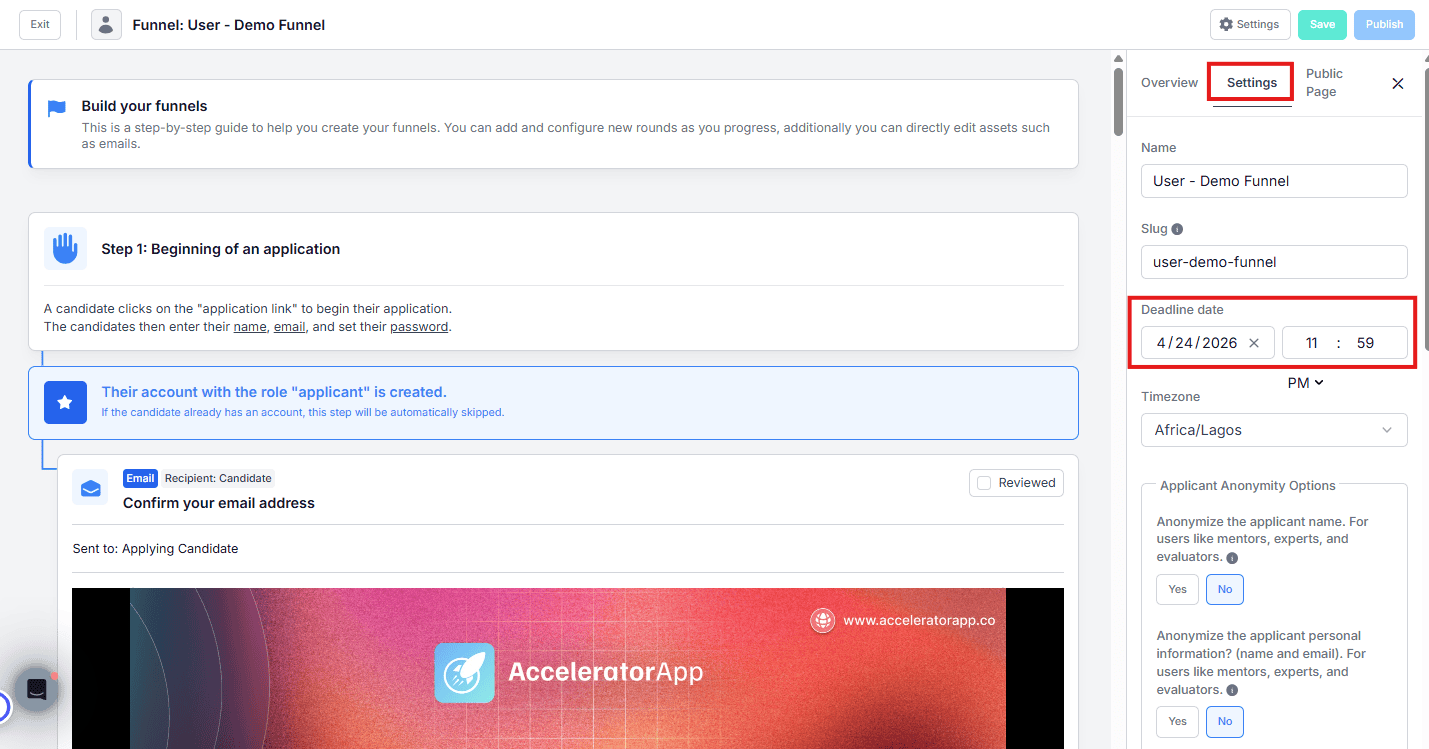
- Inside the funnel editor, open the Settings tab on the right-hand side.
- Locate the Deadline date and time fields.
- Adjust the date and time to your new requirements.
- Click Save and Publish to push the changes live.
Note: If you decide to unarchive the funnel, keep in mind that the applications will remain archived unless you reactivate the funnel using the toggle. Then, from the Application Overview page, you’ll need to open each applicant’s file and click Unarchive.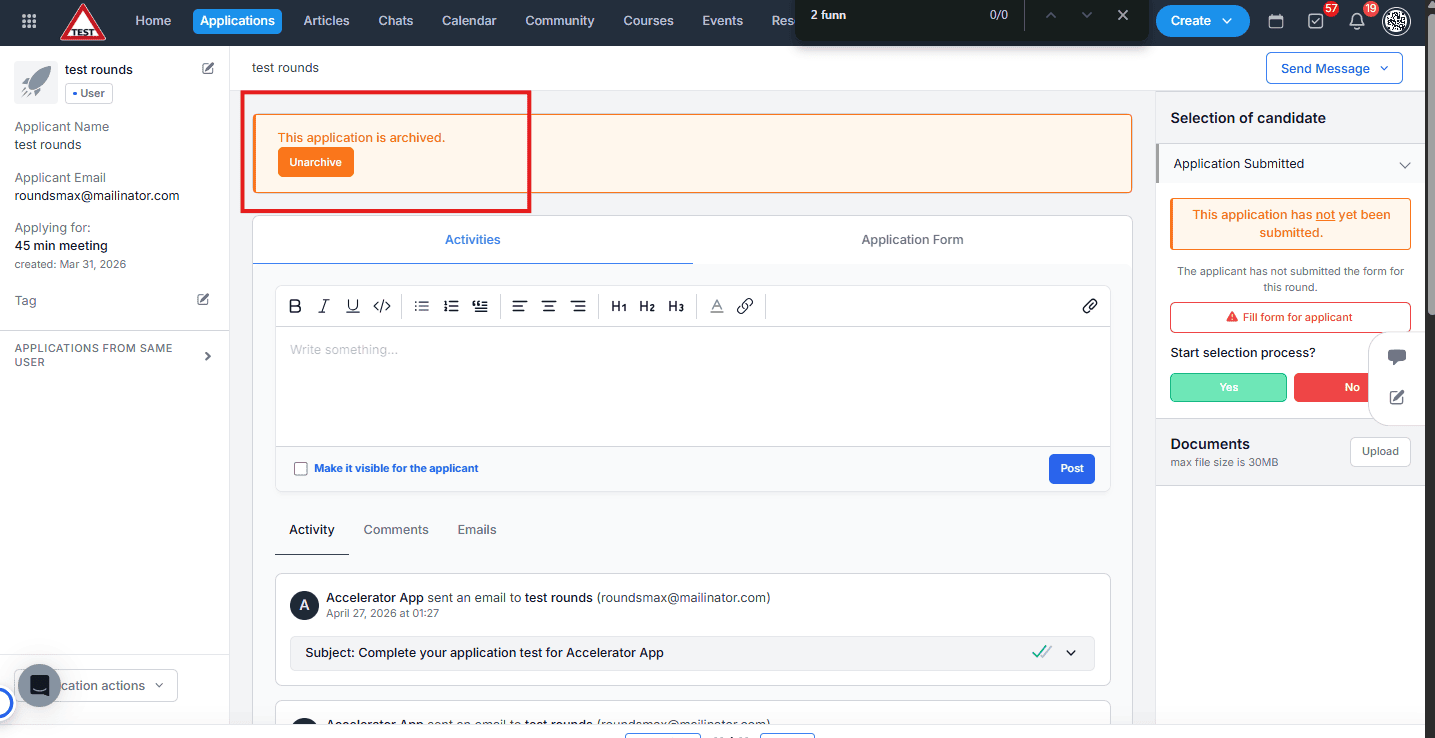
Best Practices
- Communicate Updates: If you extend a deadline, send a bulk email to all applicants in "Draft" status to encourage them to complete their submission.
- Review Drafts Before Archiving: Use the filters in the application overview to see how many people have unfinished drafts before you archive a funnel, as this will prevent them from submitting.
- Incognito Verification: After changing a deadline, check the public application page in an incognito window to ensure the new date is displaying correctly to the public.
- Keep it Clean: Archive funnels as soon as a selection process is fully complete to keep your Funnels dashboard focused only on active tasks.