


Introduction to Deleting your Account
Respecting user privacy and data autonomy is a core principle of our platform. The Delete Account feature allows users to permanently remove their personal data and profile without needing to contact support, ensuring full compliance with global privacy regulations and ethical data practices.
Where to Delete tour Account
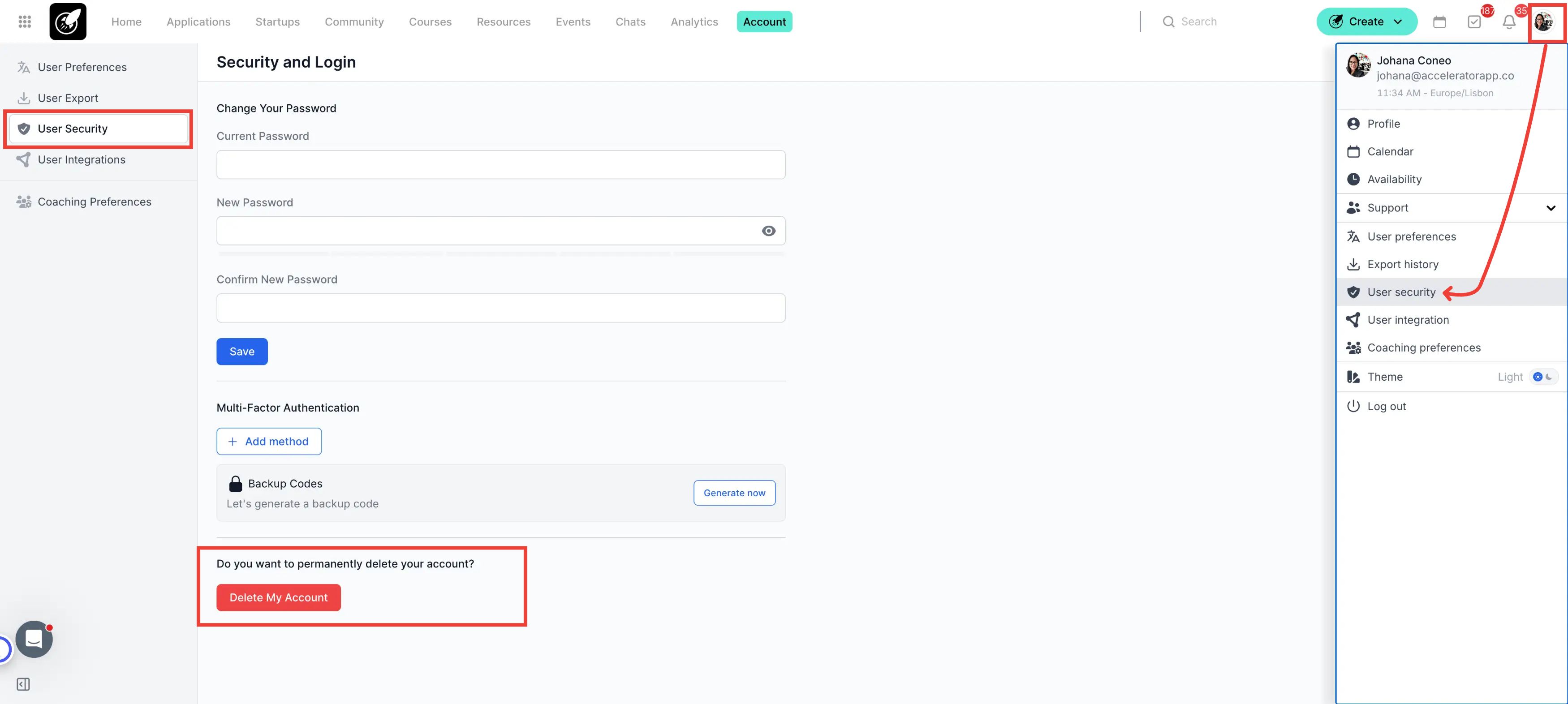
Account deletion is handled within the security section of your user profile settings.
Navigation: Click on the Account Icon (top right) > User Security.
Step by Step
1. Access Preferences
Click on your Account Icon in the top right corner of the screen and select User Security.
2. Confirm Deletion
Scroll to the bottom of the security page and click the Delete My Account button. You will be asked to provide a final confirmation before the deletion process is executed.
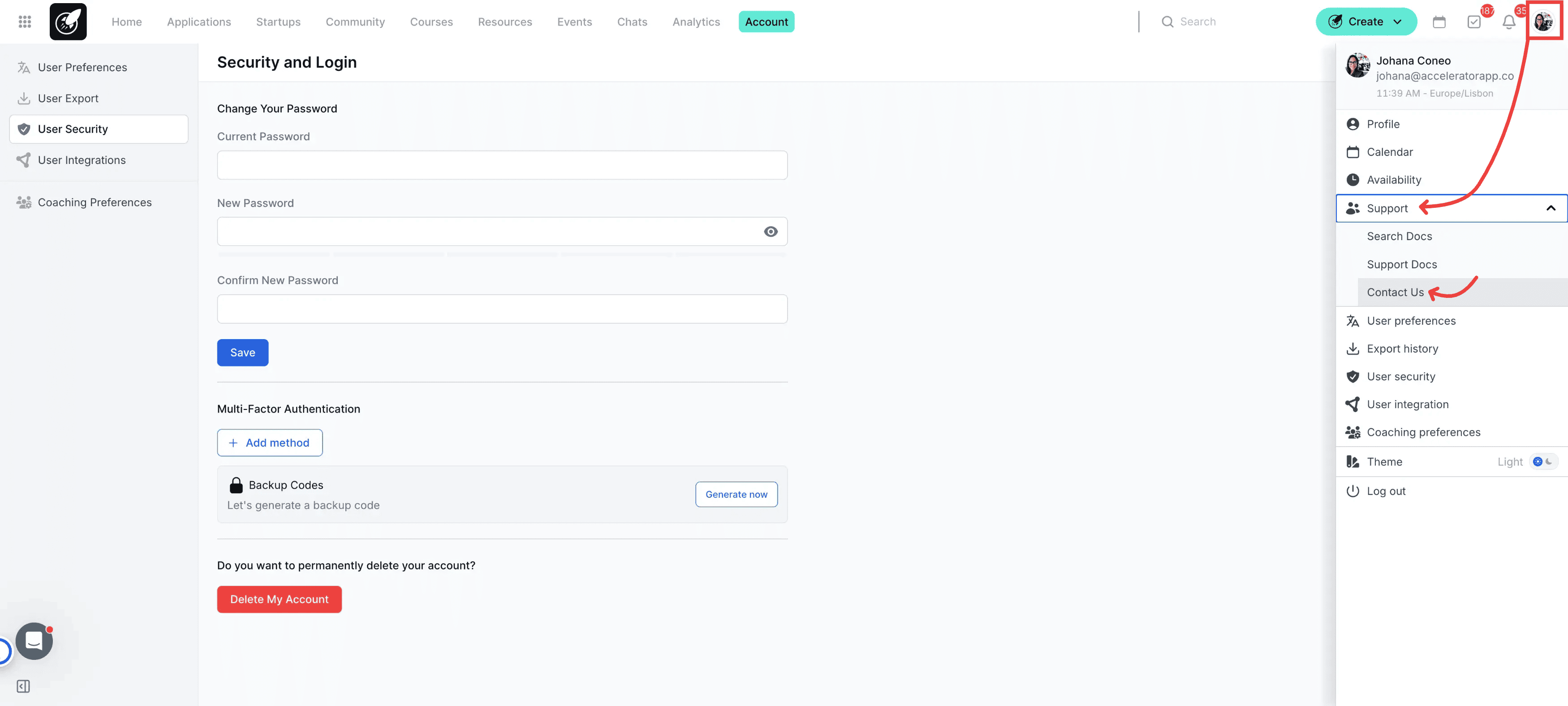
Restricted Deletion: If you do not see the "Delete My Account" button and instead see a message asking you to contact your admins, self-service deletion is disabled for your role or organization. In this case, you must reach out to them by clicking on Support > Contact Us in the platform sidebar.
Best Practices
Backup Your Data: Before deleting, ensure you have exported any necessary reports, event data, or application history, as this information will be inaccessible immediately after deletion.
Impact on Startups: If you are the sole owner of a startup profile, consider assigning a new owner before deleting your account to ensure the organization's data remains intact.