


Introduction to the Application Dashboard
The Application Dashboard provides a centralized view of all incoming applications. It helps you track submission trends, monitor funnel performance, and analyze applicant activity over time.
The chart displays the number of applications submitted per funnel, and you can compare data between multiple funnels to identify performance patterns or campaign impact. Various filters are available to help you visualize specific application segments.
Where to Find the Application Dashboard
Click Applications in the top navigation bar, then select Analytics from the left sidebar, and click the Dashboard tab at the top of the page.
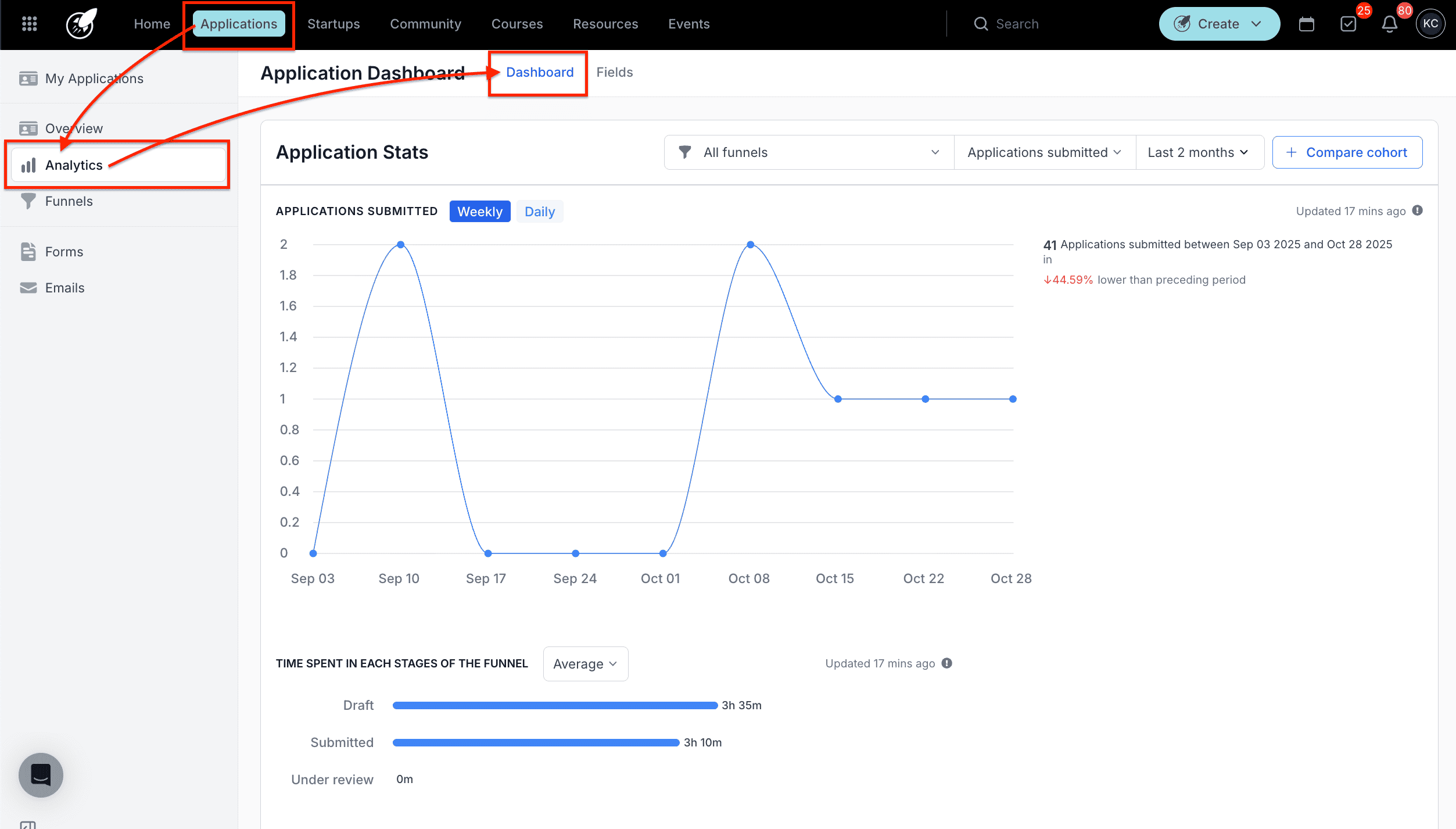
Step-by-Step
1. Filter Your Data
Once on the dashboard, tailor your view using the available filters:
- Funnel Selection — view all funnels or focus on a specific one.
- Application Status — filter by Submitted or Started.
- Date Range — choose a time period such as Last 7 days, Last 2 months, or Last year.
The chart updates automatically based on your selected filters, allowing you to see trends in application volume and engagement.
2. Compare Cohorts
You can compare two funnels side by side to evaluate their performance:
- Click Compare Cohort on the right side of the dashboard.
- Select the two application funnels you want to compare.
- Choose the Application Status (Submitted or Started).
- Set the Date Range.
- Click Apply Filter to view the results.
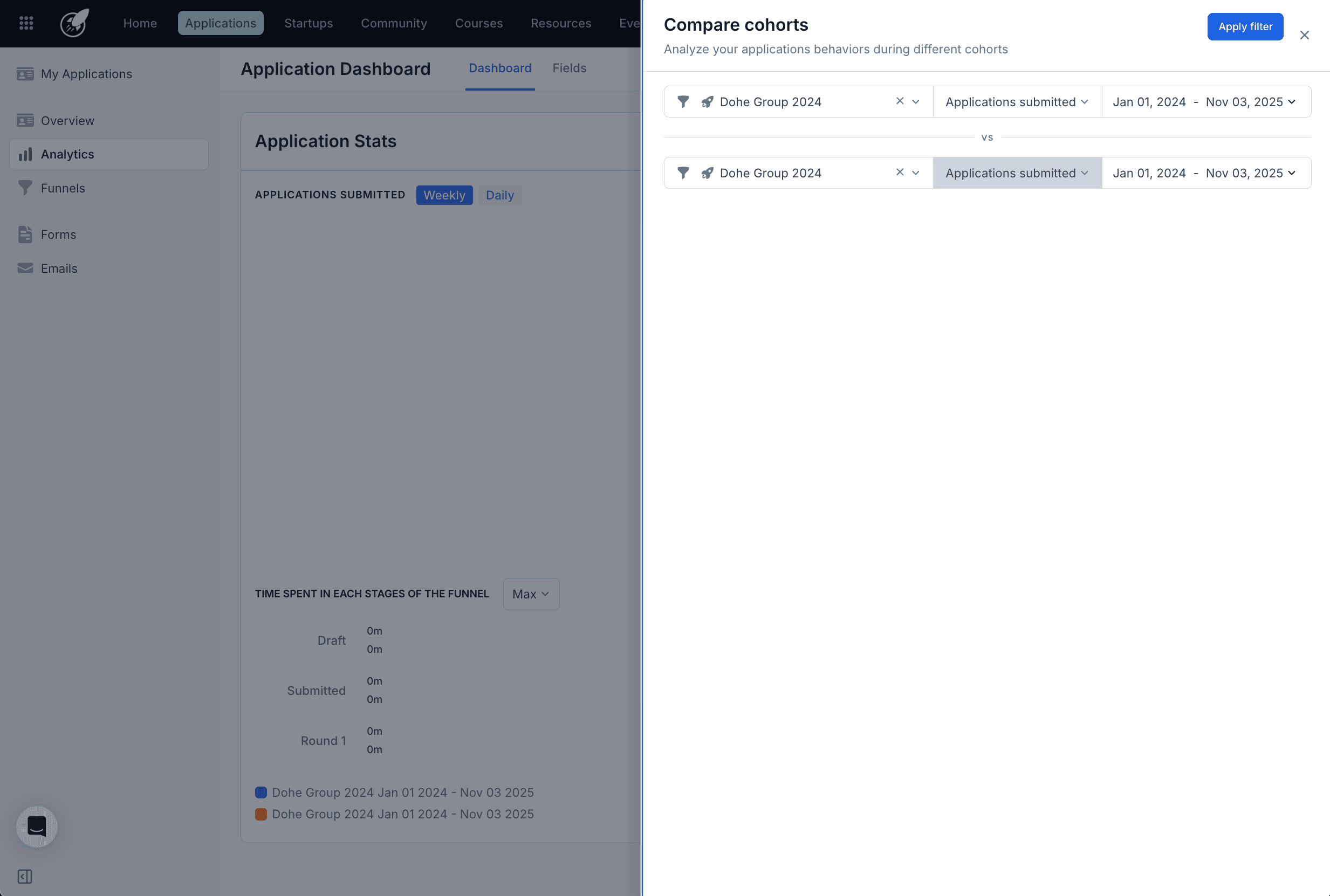
The comparison view helps you identify which funnels attract more applicants, generate faster submissions, or achieve higher engagement rates.
Best Practices
- Use the Weekly/Daily toggle to switch between broader or more granular trends depending on what you are analyzing.
- Compare cohorts periodically to assess the impact of marketing campaigns or seasonal variations in application volume.
- Monitor submission trends regularly to identify potential bottlenecks in your application process before they become issues.